

Installation
The AI assistant on your Magento store
Unpack the module, run the commands, and the AI reads the catalog and orders.
No signup · No card · 100 free chats every month

Send this link to your computer?
What happens when you install
-
1
You install the module
A few minutes, from the terminal. Unpack the zip into app/code/Rivadesk/Connector and run the commands: the account and widget are created for you.
-
2
The AI reads the store
A few minutes. The Magento catalog and orders become the context for replies.
-
3
It answers customers
Right after that. The chat appears on the storefront and answers with store data.
What it does for your customers
-
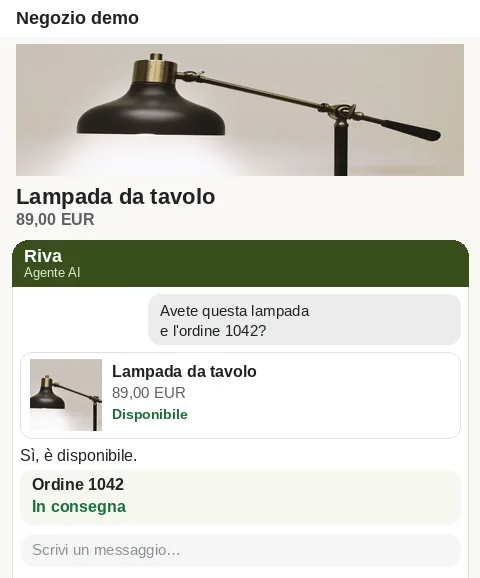
Products and availability
It searches the Magento catalog and recommends real products, with the store's price and stock.
-
Orders and shipping
It answers “where is my order?” with status and tracking taken from Magento.
-
Leads after hours
When the team is away, it collects the contact and leaves it ready for a follow-up.
-
In the customer's language
It replies in the visitor's language, including shoppers from another country.
You manage it inside Magento 2
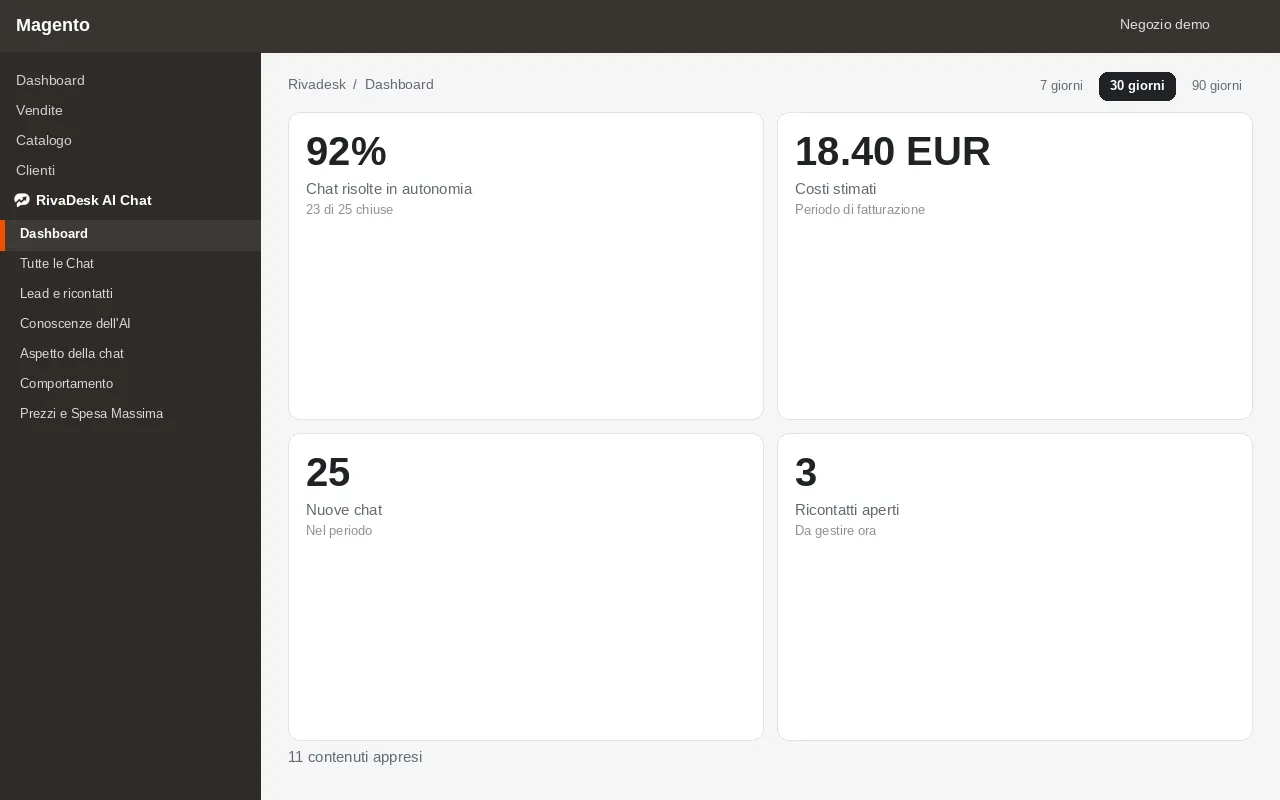
Open Rivadesk inside Magento. The menu has these seven items, the same ones as the module admin.
- Dashboard
- All Chats
- Leads and follow-ups
- AI Knowledge
- Chat appearance
- Behavior
- Pricing and Max Spend
What it costs and where you pay
The included allowance is 100 every month.
After the included allowance: €0.02 to €0.10 per conversation, about €0.08 on average, with a spending cap.
The Rivadesk invoice arrives at the end of the month, or when usage reaches €200.00. You pay it with a secure link (Stripe), and no card is stored. If unpaid invoices go over €100.00, the chat pauses until you settle them.
Requirements and installation
You need PHP 8.2, 8.3, or 8.4, and magento/framework 103.0.7 or later, below 104: Magento Open Source or Adobe Commerce 2.4.7 and later releases on that framework line.
-
1
Unpack the zip into app/code/Rivadesk/Connector. registration.php must sit in that folder.
-
2
From the Magento root, run the commands below: they enable the module, upgrade the schema, and flush the cache.
-
3
Open RivaDesk AI Chat in the admin: the account and widget are created for you.
Commands to run from the Magento root
bin/magento module:enable Rivadesk_Connector && bin/magento setup:upgrade && bin/magento cache:flush
Trust and uninstall
-
Encryption in transit and at rest
All traffic travels over TLS and data at rest is encrypted. Connector credentials stay server-side only.
-
GDPR compliant
We process personal data under the GDPR, with clear legal bases and a data processing agreement (DPA) ready for our customers.
-
Data hosted in the EU
Data is stored in the EU; some providers may process it in the USA under standard contractual clauses.
-
Clean uninstall
Disable or uninstall the module and the chat turns off on the store. Uninstall notifies Rivadesk and deletes the module data on the store. The account and conversations stay on Rivadesk.
Frequently asked questions
Install it on your store
No signup and no card. This month's included conversations start when the module is enabled.