

Installation
The AI assistant on your Shopify store
Install the app, the AI reads your catalog and orders, and it answers customers.
No signup · No card · 100 free chats every month

Send this link to your computer?
What happens when you install
-
1
You install the app
About 2 minutes. From the Shopify App Store you approve the permissions and the app opens in your admin.
-
2
The AI reads the store
A few minutes. The store catalog and orders become the context for the answers.
-
3
It answers customers
A few clicks. You turn the chat on from the theme, in App embeds, and it answers on the storefront.
What it does for your customers
-
Products and availability
It searches the catalog and recommends real products, with the store's price and availability.
-
Orders and shipping
It answers «where's my order?» with status and tracking taken from Shopify.
-
Leads after hours
When the team is away, it collects the contact and leaves it ready for follow-up.
-
In the customer's language
It replies in the visitor's language, including shoppers from another country.
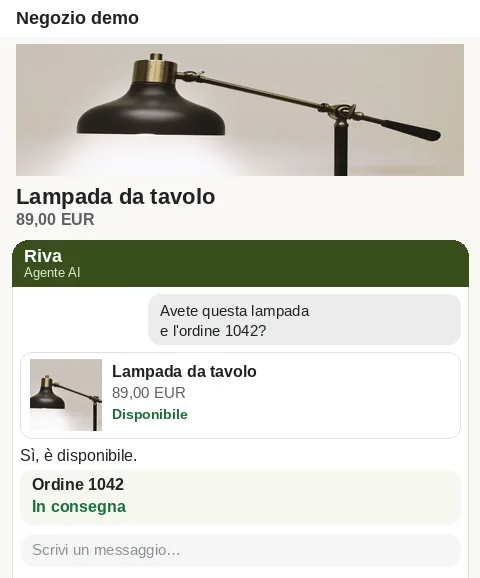
You manage it inside Shopify
Open the app inside Shopify. The menu has these seven items, all in the admin.
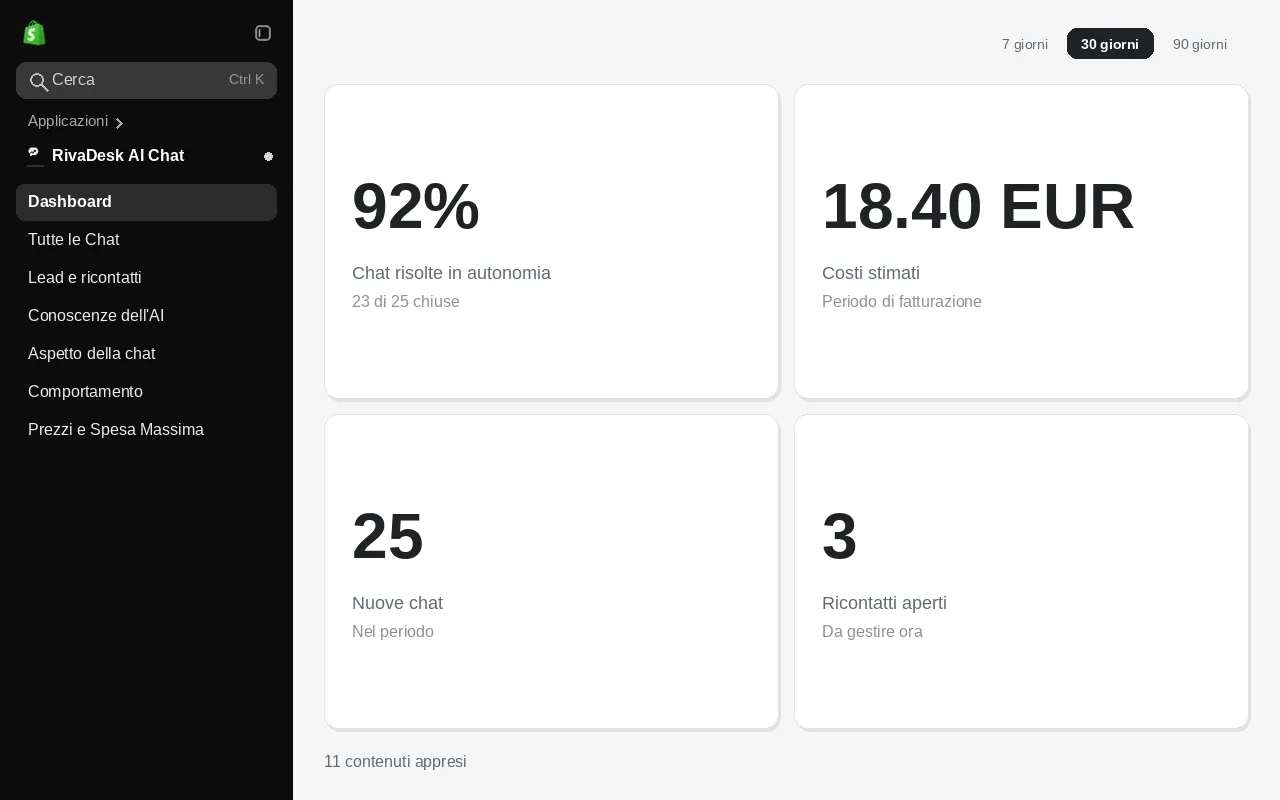
- Dashboard
- All Chats
- Leads and follow-ups
- AI Knowledge
- Chat appearance
- Behavior
- Pricing and Max Spend
What it costs and where you pay
The included allowance is 100 every month.
After the included allowance: €0.02 to €0.10 per conversation, about €0.08 on average, with a spending cap.
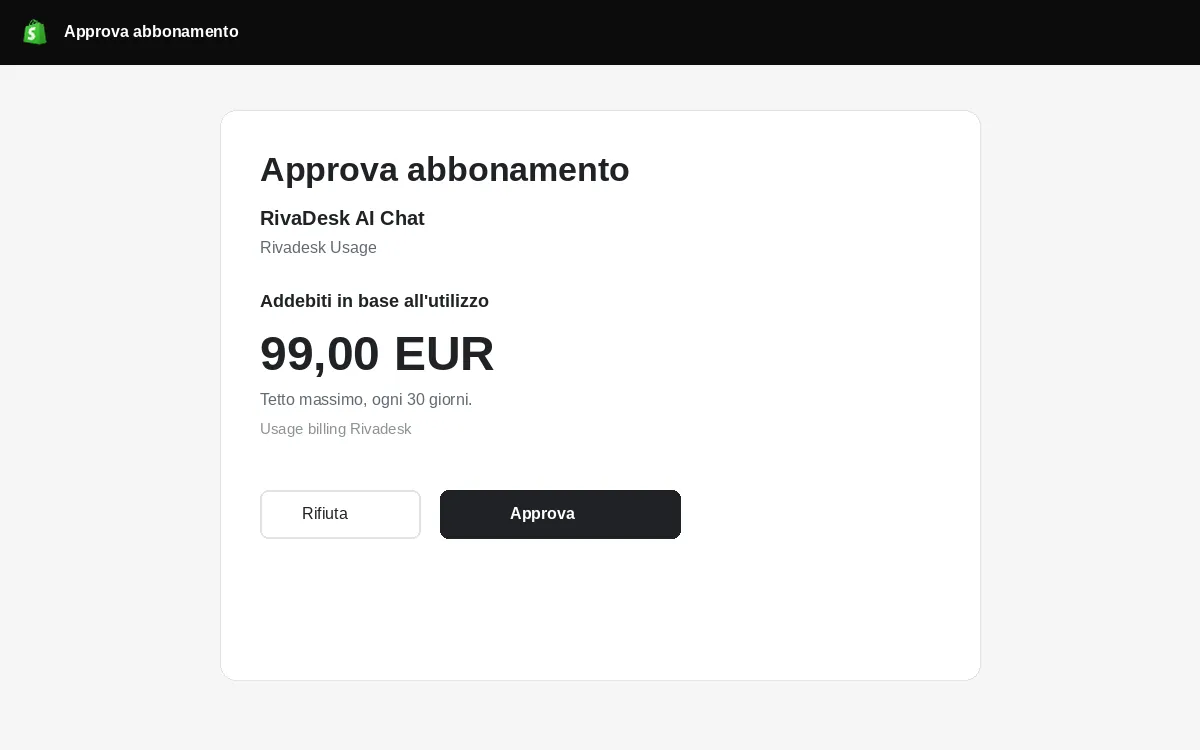
Past the allowance, you approve a spending cap on Shopify and pay only for usage, on your Shopify bill.
Until you approve that subscription, the AI stays paused and does not reply beyond the included allowance.
Requirements and installation
Install from the App Store, approve the permissions, and the app opens in your admin.
-
1
Install the app from the Shopify App Store.
-
2
Approve the permissions Shopify asks for.
-
3
The app opens in your admin: you set up the chat from there.
Trust and uninstall
-
Encryption in transit and at rest
All traffic travels over TLS and data at rest is encrypted. Connector credentials stay server-side only.
-
GDPR compliant
We process personal data under the GDPR, with clear legal bases and a data processing agreement (DPA) ready for our customers.
-
Data hosted in the EU
Data is stored in the EU; some providers may process it in the USA under standard contractual clauses.
-
Clean uninstall
Uninstall the app from Shopify: the chat turns off on the store and the connection closes. Connector data is deleted with Shopify's data erasure request.
Frequently asked questions
Install it on your store
No sign-up and no card. This month's included conversations start when the app is in your admin.